October 21, 2026
Game day party checklist: TV, seating, snacks and kickoff changes
Hosting the big game at home? A checklist for the TV and seating, a snack sign-up that covers the table, and what to do when kickoff time moves.
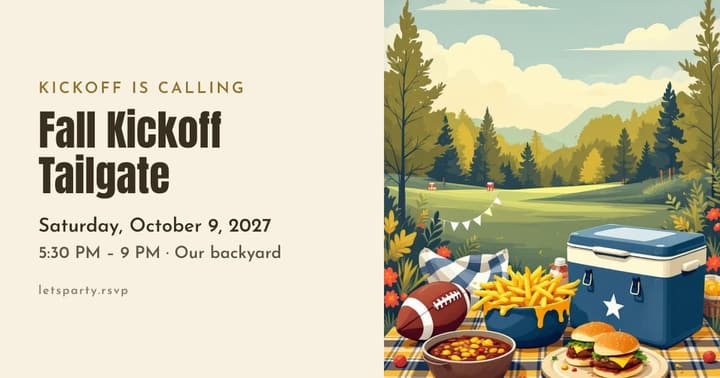
Hosting the big game is one of the easiest parties to throw. Nobody expects a sit-down dinner, the entertainment is on TV, and guests are happy to bring snacks. A little planning still goes a long way, and most of it comes down to one question: can everyone see the screen?
Start with the screen
The TV decides everything else. Sit in every seat in the room and check:
- Sightlines. Can you see the whole screen from every seat, including the back row?
- Glare. Afternoon sun on a screen is a real problem. Check the room at kickoff time, and plan to close the blinds.
- Sound. People will be talking. A soundbar or a speaker helps the folks in the back.
- The feed. Test your stream or channel a day ahead. Sign in, install any updates, and make sure your internet holds up. Streams can run behind live broadcasts, so guests checking scores on their phones may see a big play before the TV does.
- A backup. Know where you’ll watch if the main TV fails: a second TV, a laptop, a projector.
If you’re expecting a crowd, a second screen in another room (or outside) gives casual fans and kids somewhere to be.
Seating for everyone
Count the seats, then count the guests. The gap might surprise you.
- Bring in dining chairs, bar stools and folding chairs.
- Floor cushions and beanbags work for kids and anyone flexible.
- Put the best seats closest to the screen for the true fans.
- Keep a clear path to the kitchen and bathroom that doesn’t cross in front of the TV.
If your space can only hold so many, set a head-count limit before you invite. It’s easier than squeezing 30 people into a room built for 15.
The snack table
Game day food should be easy to eat with one hand, standing up, without missing a play.
- Dips and chips, wings, sliders, a pot of chili, a veggie tray
- Something sweet for halftime
- Plenty of napkins (more than you think)
- Drinks on ice outside the kitchen, so people aren’t crowding the fridge
The easiest way to feed a crowd is a snack sign-up. Ask guests to bring a dish, set a limit for each item so you don’t end up with five bags of chips and no protein, and say what you’re covering (maybe the main dish, drinks and ice). On letsparty, Let guests sign up to bring something sets how many of each item you need, and a We’ll provide list shows guests your part.
Time the food to the game
The game sets the schedule, so plan the food around it:
- Everything out before kickoff. Nobody wants to miss the first big play waiting on the oven.
- A second wave at halftime. Hold back a hot dish or dessert so the table looks fresh for the second half.
- Keep hot food hot in slow cookers. Chili, queso, meatballs and pulled pork all hold for hours.
- Skip anything that needs carving or plating. If it can’t be eaten from a small plate on your lap, save it for another party.
- Bake wings in batches so a fresh tray comes out every quarter or so.
Make it fun for non-fans
Not everyone at a game day party cares about the game. A few easy additions:
- A prediction card for bragging rights: final score, first to score, total points
- Bingo cards for things that happen during the broadcast
- A kids’ corner with games and a second screen
- A comfortable spot to talk away from the TV
Dress the part
Ask guests to wear their team’s colors, or split the room by who they’re rooting for. A few streamers or a tablecloth in the right colors is all the decorating you need.
When kickoff time changes
Start times move. Schedules shift, an earlier game runs long, or weather delays things. Your invite should be clear about when the party starts, not just when the game does: “Party at 3:00, kickoff around 4:30.”
If the start time moves:
- Send one update to everyone who said yes, with the new time at the top.
- If food timing matters (wings out of the oven at kickoff), adjust your cooking plan.
- If it moves a lot, decide whether the party still works, and tell people early.
Send an update on letsparty reaches everyone who said yes or maybe in one go, by email and text (see how).
Game day checklist
A week out
- Invites sent with the party time, kickoff time, and what to bring
- Snack sign-up shared
- Extra chairs borrowed or rented
- Head-count limit set if your space is tight
The day before
- Stream or channel tested
- Drinks bought and ice planned
- Reminder sent to the yeses
- Furniture moved and sightlines checked
Game day
- Blinds closed and sound checked
- Food out before kickoff
- Trash and recycling bins easy to find
- A spot for coats, bags and shoes
After the game
- Leftovers packed up for guests to take home
- A quick thanks to everyone who came and brought food