Features
Everything your party needs
From the first idea to the last photo, with real screens from a sample party. Everything here works today unless it says coming soon, and the tag beside a feature is the plan it comes with. Compare the plans.
Plan it
Five questions, and the invite builds itself
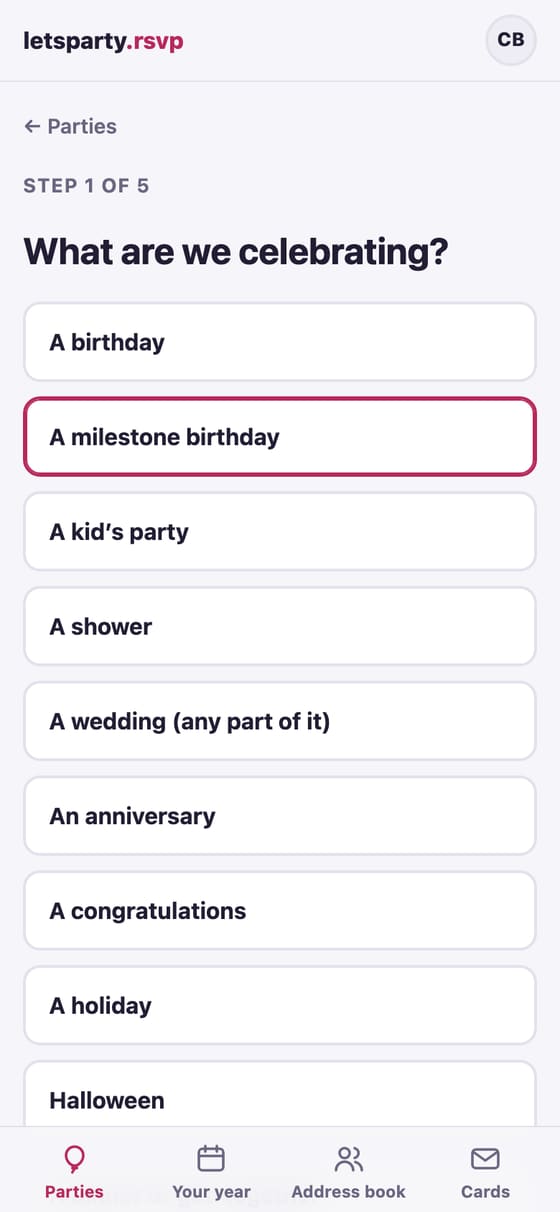
What you’re celebrating, when, where, the look and the details: one question at a time, with the real invite taking shape beside them.
-
Step by step
Answer five questions, one at a time. The words write themselves for the occasion, and you can change every one. How to →
-
Not sure of the date?
Send a date poll first. Guests mark which dates work, you pick the winner, and one update tells everyone. How to →
-
The wedding checklist Wedding
One tap adds a year of steps to the wedding’s to-do list, from booking the venue to the thank-you cards, each dated back from the wedding and linked to where letsparty does it. How to →
-
Every part of a wedding, ready to start
Pick the engagement party, a shower, the bachelor or bachelorette party, the rehearsal dinner, the wedding itself or the brunch after, and it starts with the right words, settings and a list of what to add. How to →
-
One invite for the whole weekend Host Pass
A wedding weekend or a reunion: the rehearsal dinner, the big day and the brunch under one invite. Each guest sees the parties they’re invited to and answers each one, and gets one text or email, not three. How to →
-
A wedding website Wedding
Your story and photos, every event, where to stay, getting there, the menu, what to wear with your colors, the venue with a map, the registry and your questions answered, at letsparty.rsvp/your-names in your invitation’s look. Add sections with a tap and see the website beside you as you build it. A guest who can’t find their invite gets it by email. A password if you like. How to →
-
Your year, planned ahead Host Pass
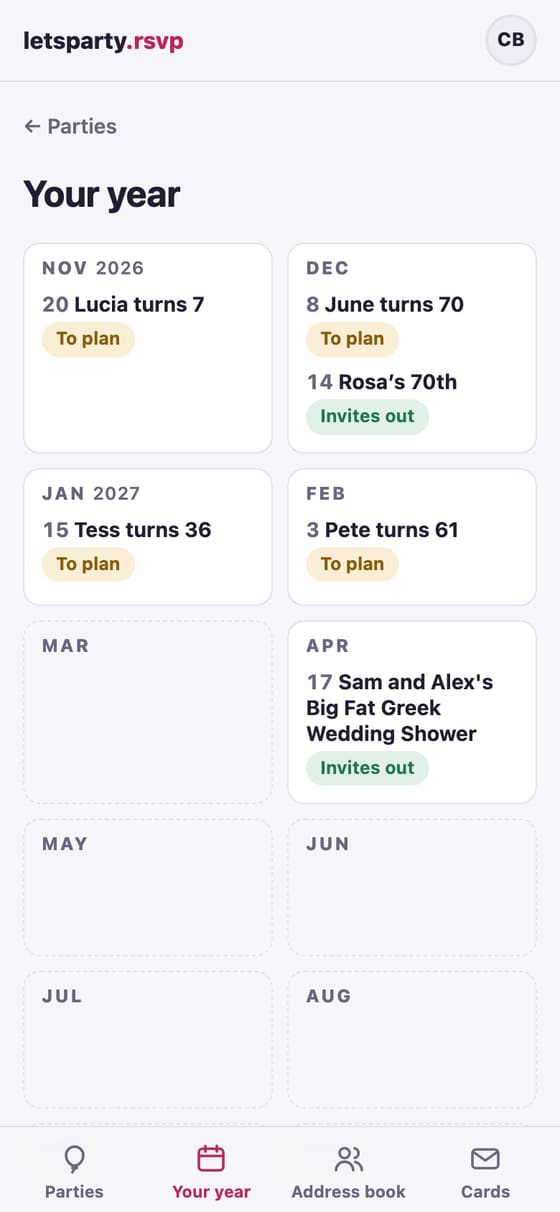
The birthdays in your address book and the holidays you host, laid out twelve months ahead, with an email when it’s time to plan if you want one. How to →
-
Plan it together
A group (your family, your kid’s class, your team) shares one address book and plans its parties together. One sign-in, as many groups as you’re in. How to →
-
Co-hosts for one party
Add a co-host who sees only that party: its guests, RSVPs, sending and a shared to-do list. Their access ends two weeks after the party. How to →
-
An address book that stays current
Import your phone’s contacts or a spreadsheet, and Tidy up finds what to fix: the same people twice, couples split apart, names straight off a contact card. Guests confirm their own address and phone. How to →
-
Party Radar Host Pass
Connect your calendar and it spots the birthdays and open weekends worth a party. It only suggests; nothing goes out without you. How to →
Send it
An invite that opens like a real envelope
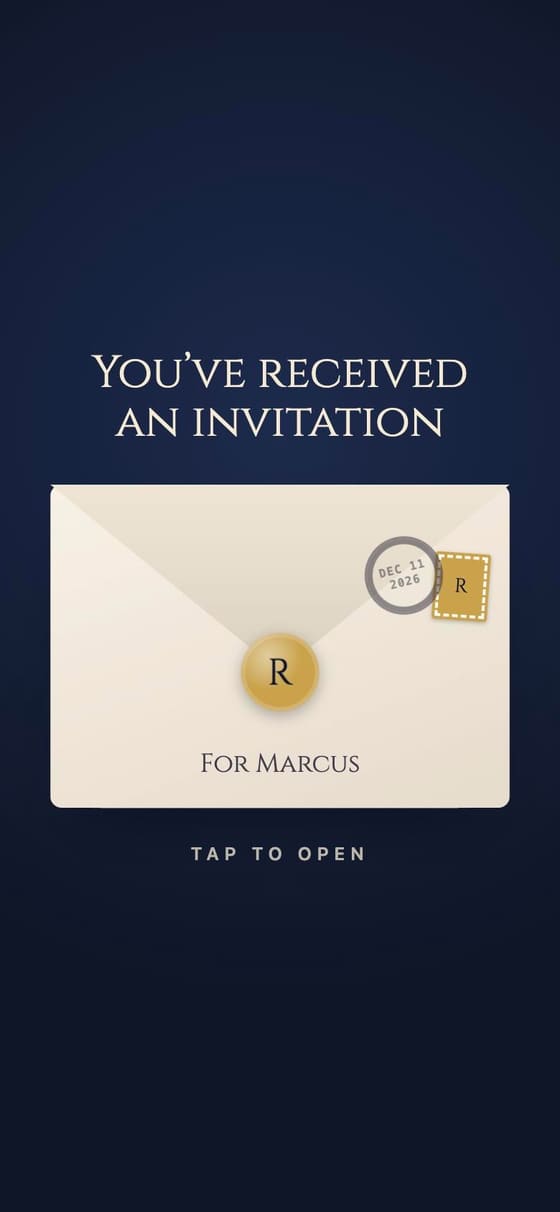
Their name on the envelope, a stamp and a postmark, and a design as fun or as formal as the party. Sent from your own phone, so they actually open it.
-
Designs funny to formal
Collections for birthdays, weddings, anniversaries and every season’s holidays. Some put your photo right on the card: the couple on the stadium’s big screen, the birthday girl on a trading card. How to →
-
Your photos on the invite
Up to six under the details, with any design: the guest of honor then and now, the baby, the two of you. Guests tap one to see it large. How to →
-
Pick how it opens Party
An envelope with their name on it, or a wax-sealed letter, a gift box, a golden ticket, a scratch-off, curtains that part, candles to blow out: more than 30 openings to play before you pick. How to →
-
Your invite, all yours Party
Invites on the Free plan end with a small “Made with letsparty.rsvp” line. On Party it’s gone, and nothing on the invite is about us. How to →
-
Music and an effect Party
Music that starts as they open it, which they can turn off: Happy Birthday on a music box, Canon in D, Jingle Bells and more. Then confetti cannons or a confetti burst go off as it opens, or confetti, petals, snow or lanterns drift over the invite for a few seconds, and the picture itself can move slowly. How to →
-
A check before you send
Review guests flags anyone who may be missing a spouse, names straight off a phone’s contacts, and one family split in two, with the fix right there. How to →
-
Texts from your own phone
Each household gets its own link, texted from your number (on iPhone, one tap sends them all after a one-time setup) or emailed. Guests never need an app or an account. How to →
-
One link for the class chat
For a class or a team, post one join link. Each family adds itself and gets its own invite. How to →
-
Only invited guests see the address
The party’s public link shows the look and the date. The address, the RSVP and the parking notes are on each household’s own link (and the address on the caterer link, if you make one). How to →
-
Easy on every guest
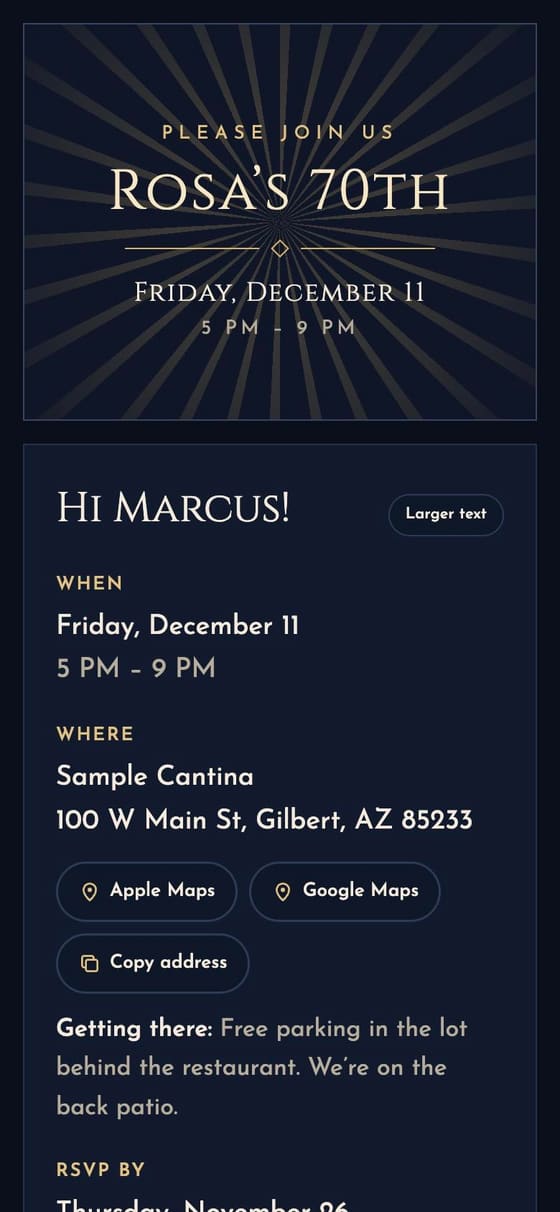
Larger text with one tap, the time in their own time zone, directions, and an add-to-calendar button. How to →
-
Invitations in Spanish
Pick Español for the party or for one household: the invite, its opening, the texts and the emails all come in Spanish, and your own words can have a Spanish version for those households. Every guest can switch from the Aa button by their name on the invite. How to →
-
Every party in their calendar
Guests subscribe once, and every party from you lands in their calendar and stays up to date. How to →
-
“I’m going!” cards
After they RSVP, guests can share a card with their selfie in the party’s design. Only if you allow sharing. How to →
Collect RSVPs
Every answer, counted and sorted for you
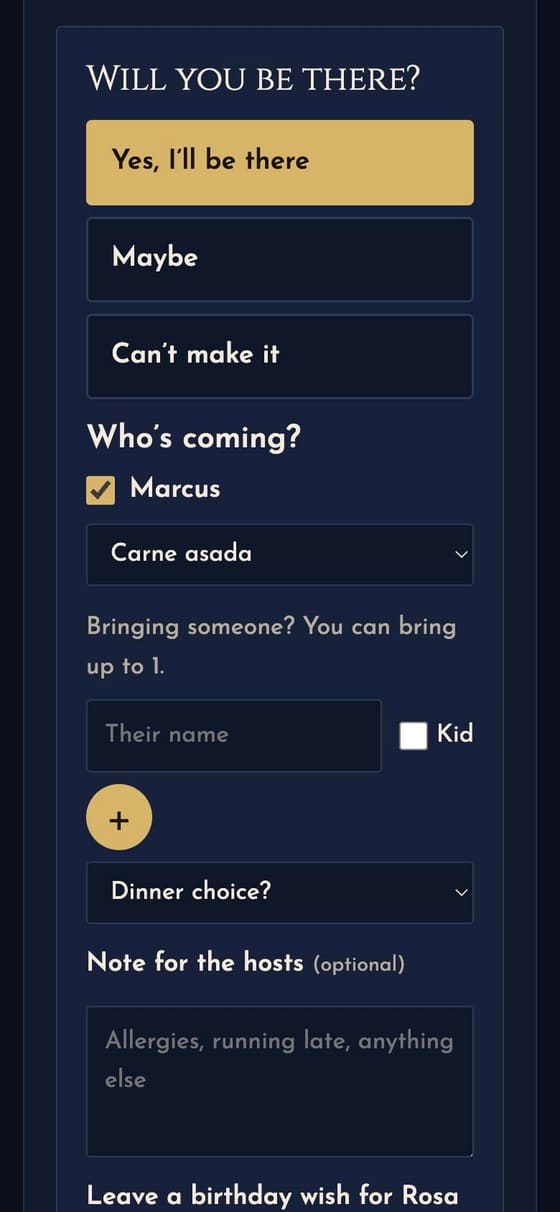
Yes, maybe or can’t make it, by name, with a meal choice or allergies for each person. Tap any number to see exactly who.
-
Who’s coming, by name
Guests tick who in their household is coming and name anyone they bring, with a question for each person (dinner choice, allergies). How to →
-
Plus-ones, guest by guest
Plus-ones off for the wedding, but your college roommate gets one? Set it on their invite alone. How to →
-
See who’s opened it
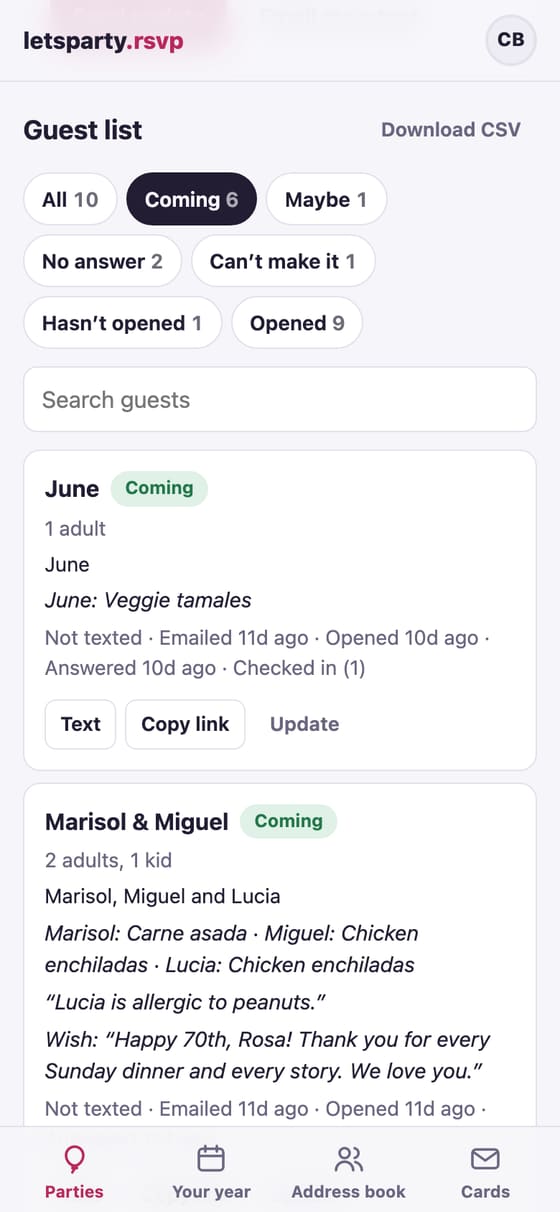
Sent, opened, answered: every household’s status at a glance, so you know who to nudge. How to →
-
Know the moment they answer
An email when someone answers (or one summary each morning), and a copy of their answer for the guest. How to →
-
What to bring Party
A sign-up with limits, so you don’t get six potato salads. Write-ins welcome, and a “we’ll provide” list so nobody doubles up. How to →
-
Head-count limits Party
Restaurant room for 40? Past the limit, yeses join a waitlist you let in when a spot opens. How to →
-
Nudges and reminders, on their own
A “can you make it?” email two days before the RSVP-by date and a reminder to the yeses before the party, for everyone with an email. Guests you text get a nudge in one tap, now or on a day you pick, and an update reaches everyone. How to →
-
A caterer link Party
The live headcount and meal choices for the restaurant or caterer, with no sign-in and no names. How to →
-
A headcount sheet and the guest list
Print the count with who’s coming and their notes, or download the guest list as a spreadsheet. How to →
The big day
Everything guests need, and a little extra
The plan, the weather, who else is coming, answers to their questions, and a photo wall that fills up during the party.
-
The plan and the weather Party
A schedule for the day (“5:00 drinks · 6:00 dinner”), and the forecast the week of the party (for US addresses, if you turn it on). How to →
-
A domain you already own Wedding
Your wedding website lives at letsparty.rsvp/your-names. Already own one like samandalex.com? Forward it there at the company you bought it from. How to →
-
One look for the whole wedding
One tap puts every event’s invite, the weekend’s cover and the wedding website in the same design. The thank-you cards, the QR sign and the printed seating chart match it. How to →
-
Six layouts
The library’s designs come as one page in five layouts (the card beside the RSVP, the card on top, a pinned card, the art edge to edge, or a soft backdrop of the art) or Classic. Each design starts on its own; pick another in a tap, or ask the helper. How to →
-
Your own RSVP wording
Your own RSVP question and answer buttons, like “Will you join the coven?” and “Count me in, broom and all”. The party helper writes them in your theme. How to →
-
Sections on the invite
Add where to stay, getting there, the menu, what to wear with your colors, the place with a map, or your own words to any party’s invite, and see the invite beside you as you build it. How to →
-
Links and what to wear
Buttons on the invite for the registry, the hotel block or your wedding website, and a line for the dress code beside the date and place. How to →
-
Who’s coming, with faces
Guests can add a selfie with their RSVP, so everyone sees who’ll be there, in the design’s own style. How to →
-
Questions for the hosts
“Is there parking?” Guests ask on the invite, you answer once, and everyone sees it. (On Party, ones your details already answer get their answer right away.) How to →
-
A guest wall Party
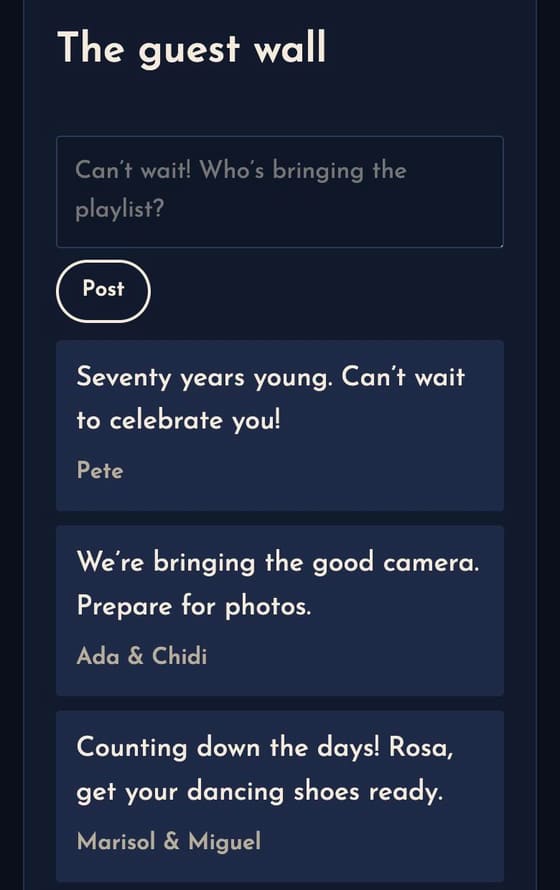
Notes from guests before the party: excitement, advice, a toast. How to →
-
A video link for anyone far away Party
Grandma across the country? A join-by-video link on the invite for the guests who can’t be there. How to →
-
Check-in at the door
Tap guests in as they arrive, on your phone and a co-host’s at once, with a running count and walk-ins. The thank-you can go to just who came. How to →
-
A seating chart Party
Tables, a household at each (the kids can sit apart), drag and drop on a computer, a printed chart and an A-to-Z list for the door. Guests see “Your table” on their invite. How to →
-
A photo wall Party
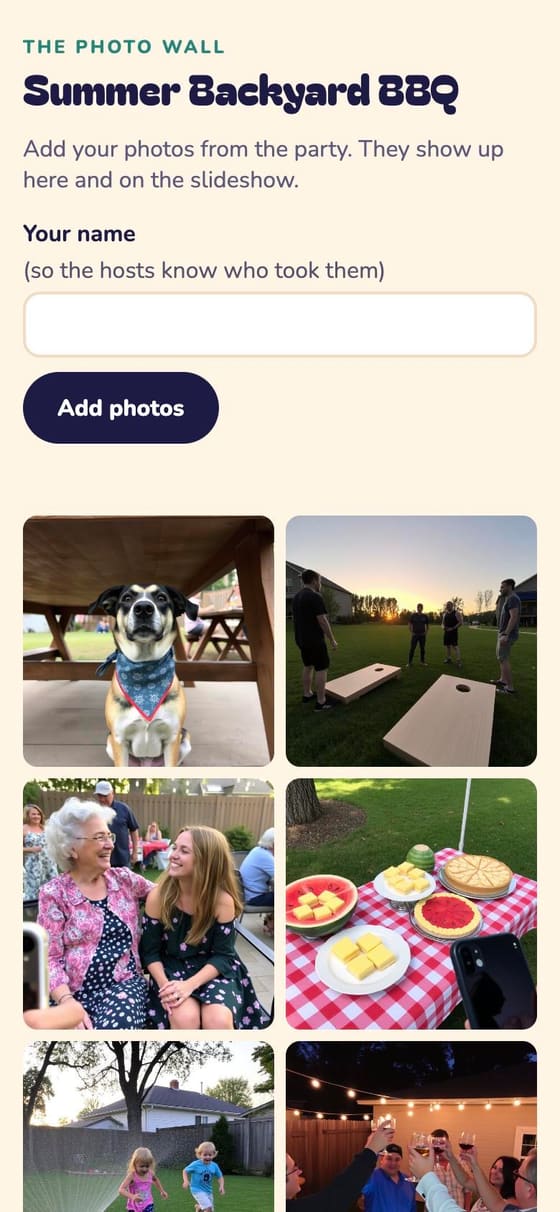
Put the QR sign on the table. Everyone’s photos land in one place, with a live slideshow for the big screen. How to →

After
Keep the memories, and the guest list
Wishes to keep, a thank-you to everyone who came, all the photos, and next year’s party already started.
-
Song requests Party
After they say yes, guests can name a song that’ll get them on the dance floor. The list prints for the DJ, with who asked. How to →
-
A gift log
Write what each household gave as it arrives and tick them off once they’re thanked; the thank-you card ticks them for you and mentions the gift. How to →
-
Keepsake wishes Party
Guests leave a birthday wish (or advice for the graduate) with their RSVP. Print them all as a gift. How to →
-
A thank-you in one tap Party
After the party, send a thank-you to everyone who came. How to →
-
Cards for every occasion Host Pass
Birthday, anniversary, holiday and thank-you cards in the same designs, opening like an envelope with their name on it, with your photos, a line just for each of them and a gift link if you like. Sent from your phone or by email, and a group card everyone signs, too. How to →
-
Every photo, together Party
The photo wall keeps everyone’s pictures from the day in one place, and you can hide any you’d rather not show. How to →
-
Next year, already started
Copy a party with its guest list, or let “Your year” draft the tradition again. How to →
-
A free account for your guests Coming soon
Every party they’re invited to on one page, one calendar, and their details kept current for every host.
-
The holiday card list Host Pass
Every household’s mailing address, with when each was last checked (guests can confirm their own), ready to download when it’s time for cards. How to →
-
A backup every week
The whole address book and every party, emailed to the group’s owners each Sunday and ready to download anytime. How to →

A little help
The busywork, handled
Helpers for the parts of hosting nobody enjoys. You check everything before it counts.
-
RSVPs from the group chat Party
People answered in a text thread instead? Share a screenshot and letsparty reads who’s coming, matched to your guest list for you to check. How to →
-
Answers from your details Party
When a guest asks something your party details already answer, they get the answer right away. Anything else comes to you. How to →
-
“Write it for me” Party
Jot a few notes and get the invite details in three tones, one tap to use. How to →
-
A check on every photo Party
Uploaded photos get a quick look before they show, and every photo gets a short description for guests who use a screen reader. You can hide any photo at any time. How to →
-
Thank-you notes, drafted Party
A personal line on each household’s thank-you card, drafted from what they brought, wished or said, for you to read and change before you send. How to →
-
Video wishes Coming soon Party
Guests record a short video wish on their invite, and you play them one after another as a tribute at the party, full screen.
-
A design from your own words Party
Describe the look you want (“watercolor sunflowers on cream”, “a race car on a track at sunset”) and get art made for your party, with the colors matched to it for you. The party helper makes it too: ask it for a picture and pick from three. How to →
Ready when you are
We’re opening to new hosts a few at a time.