Guide 5 of 21
Food sign-up, head counts and the caterer link
Let guests sign up to bring something, ask each person's meal choice, cap the head count with a waitlist, and share the live count with your caterer.
The settings are in Edit details on the party page. Set them up before you send, so the first RSVPs include them.
What to bring
Under Food and drinks:
- List what you’re covering under We’ll provide, one per line, and tick Show this list on the invite.
- Tick Let guests sign up to bring something and add items, like Dessert or Bread, with How many people you need for each (blank if any number is fine). + Add another item adds a row.
- Tick Guests can write in something else for their own ideas, and Show guests who’s bringing what if you’d like everyone to see.
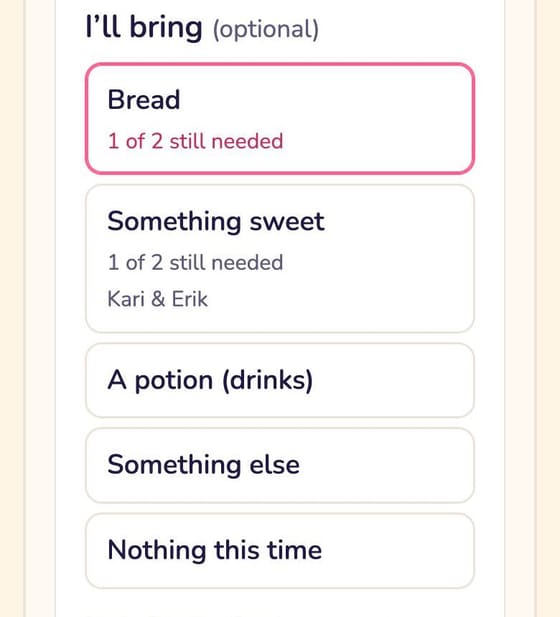
On their RSVP, guests pick under I’ll bring. Each item shows how many are still needed and turns to Covered once it’s full, so you don’t get six potato salads. The party page’s Food and drinks card shows who’s bringing what, write-ins included.
Meal choices and allergies
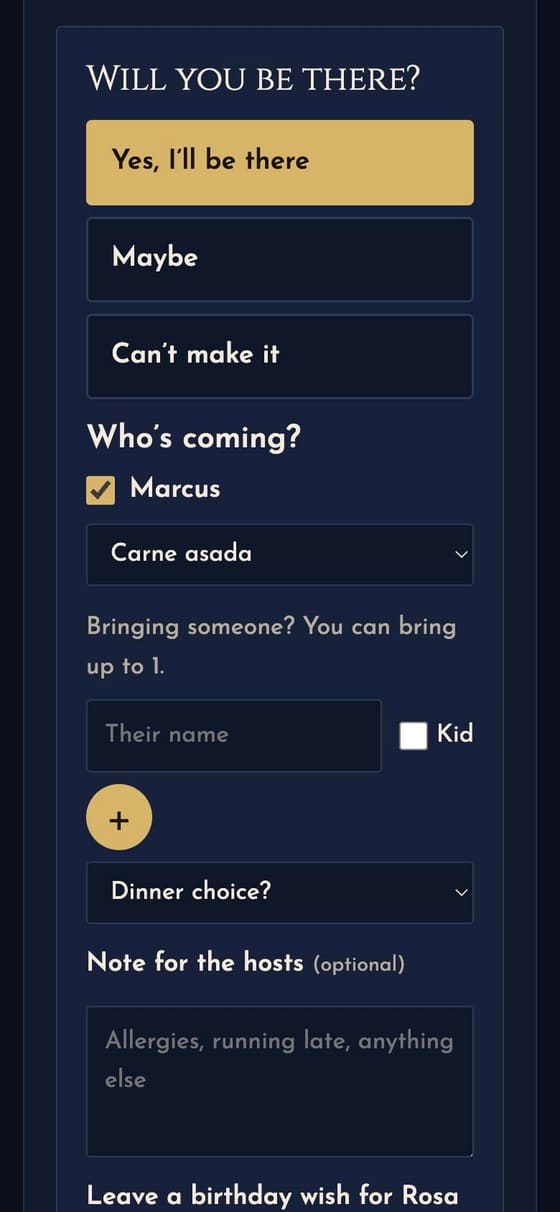
- Tick Ask who’s coming by name, so guests tick each person coming and name anyone they bring.
- In Ask each person, type the question, like “Dinner choice?” or “Allergies or dietary needs?”
- For a menu, list the options in Choices for that question, separated by commas (“Chicken, Fish, Veggie”). Guests pick one for each person instead of typing.
The answers show beside each name on the guest list, on the Headcount sheet and in Download CSV.
A head-count limit and a waitlist
Room for 40 at the restaurant? Put 40 in Most people who can come. Once that many have said yes, new yeses join a waitlist, and guests see when only a few spots are left.
On the party page, the first number shows the spots left and how many are waiting; tap it to see who. To let someone in, tap Update beside their name, choose Coming and tap Save RSVP. They aren’t told on their own, so text them or send their link. When someone who was coming changes their answer, Recent activity says a spot opened up.
To limit plus-ones instead, use Guests each household can bring (0 means just the household; blank means no limit).
The caterer link
On the party page, under Caterer link, tap Make a caterer link and send it to the restaurant or caterer. Once the party is live, their page shows the live headcount (adults, kids and maybes) and your Ask each person answers added up, with no sign-in and no guest names or notes. Make a new link stops the old one working; Turn it off closes it.
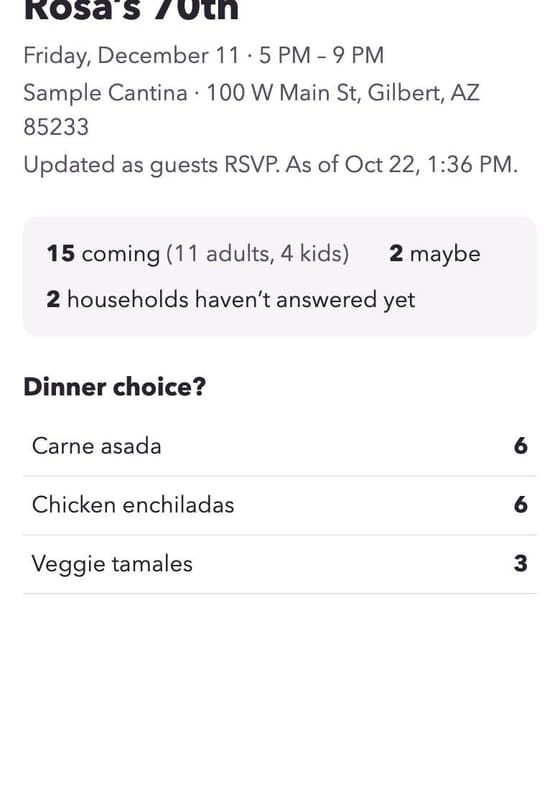
For the door or a phone call, Headcount sheet at the top of the party page has the count, everyone coming and their notes. Tap Print.
Next guide Guest extras: selfies, questions and the guest wall →