Guide 1 of 21
Plan your first party
Five questions, one at a time, with the real invite taking shape beside them. Nothing goes out until you send it.
The quickest way to a party is the step-by-step planner. It asks five questions, one at a time, and saves each answer as you go, so you can stop halfway and come back. You can change everything later.
1. Start a party
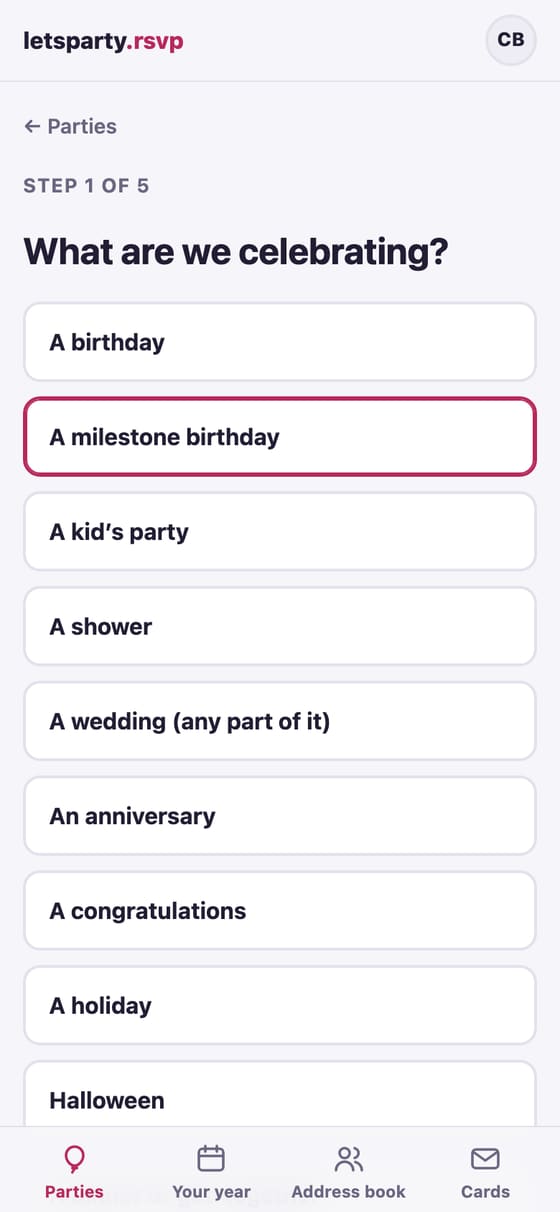
On Parties, tap Plan a party. (If you’re in more than one group, it plans for the group you’re working in; Switch group is right under the question.)
2. Answer the five questions
- What are we celebrating? Pick the occasion and, if it fits, who it’s for and the number (“Rosa”, “70”). The party’s name and the invite’s wording come from this. For a wedding, Which part of the wedding? starts the shower, the bachelor or bachelorette party, the rehearsal dinner, the big day or the brunch with its own words and settings. Tap Next: when.
- When is it? The party name, date, start and end times, and time zone. Not sure of the date yet? Tick Not sure yet: let guests vote on a few dates first and run a date poll. If you’ve connected a calendar to Party Radar, your free Saturdays show here as quick picks.
- Where is it? The place name, the street address, and any parking or gate notes. Only guests with their own link ever see the address. Not sure yet? Leave it blank and add it before you send.
- Pick a look. The designs that suit your occasion come first. Photo designs use your picture once you add one (how).
- The words. The details for guests (tap Use this on any of the Other ways to say it), an RSVP-by date, whether kids are welcome, a food sign-up, and for birthdays, showers and other milestones, a keepsake note. Tap Finish.
On a computer, the invite preview sits beside the questions the whole time. On a phone, open Preview the invite below them.
3. Check it, then make it live
When you finish, the party is a draft: nobody sees it, and guests’ links don’t open yet. Tap Go to the party page, look over the invite with Preview invite, and send yourself a copy with Email me a test.
Everything the planner didn’t ask (your photo, the food items, meal choices, a head-count limit, the text message) is under Edit details on the party page.
When it looks right, tap Make it live at the top of the party page. It needs a date and an address first (or a date poll that’s running).
4. Pick guests and send
Tap Pick guests from the address book, tick households, and tap Add 6 to guest list (it counts them for you). Then send: texts from your own phone, emails, or both.
Prefer one long form?
Use the full form instead on the first question (or Or one long form on Parties) has every setting on one page. Both make the same party.
Next guide Run a date poll →