Guide 6 of 21
Guest extras: selfies, questions and the guest wall
The day's plan, the weather, parking notes and a video link on the invite, plus selfies with the RSVP, questions for you and a wall of notes.
Each of these is optional, and each is a tick or a line in Edit details on the party page. Turn them on before you send, so the first guests get them too.
The plan, the weather and getting there
- Parking and getting in: shows under the address on each guest’s own link, and in the reminder email.
- Video-call link: for family who can’t travel. Guests with their own link see Join by video.
- Show the weather forecast the week of the party: in the last week, the invite shows the forecast under the date. It uses the address, so add that first.
- The plan: times and what happens, like “5:00 Cocktails · 6:00 Dinner · 8:00 Dancing”. Leave it blank for a one-part party.
Selfies and who’s coming
Tick Ask for a selfie with the RSVP and Show guests who else is coming. When guests say yes or maybe, they can add a photo (it’s optional), and “Who’s coming” shows their faces in the design’s own style, with initials for anyone without one. Only people you invited see it.

After a yes, guests can tap Share that you’re going to send an “I’m going!” card with their selfie in the party’s design. It links to the party’s public page, which never shows the address. Planning a surprise? Untick Guests can share the party, and the card goes too.
Questions for the hosts
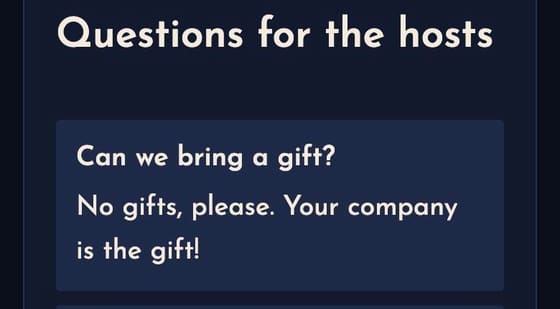
Guests can ask you a question is on for new parties. Guests type a question on their invite and tap Ask the hosts, and you get an email.
On the party page, Guests’ questions shows how many are waiting. Type your answer and tap Answer. With Show on every invite ticked, every guest sees the question and your answer (never who asked); untick it to answer just the guest who asked.
The guest wall
Tick A guest wall for short notes before the party: excitement, advice, a toast. Guests write one on their invite and tap Post, and the wall shows on every invite. On the party page, Guest wall lists every note, and Hide it takes one down. The notes also go in the printable keepsake.
And the photo wall
A photo wall sits in the same section: see Set up the photo wall.
Next guide Build your address book →