Guide 15 of 21
Track your RSVPs
Who's coming, how many, their meal choices, and who hasn't answered. Tap any number to see exactly who.
The party page keeps count as answers come in.
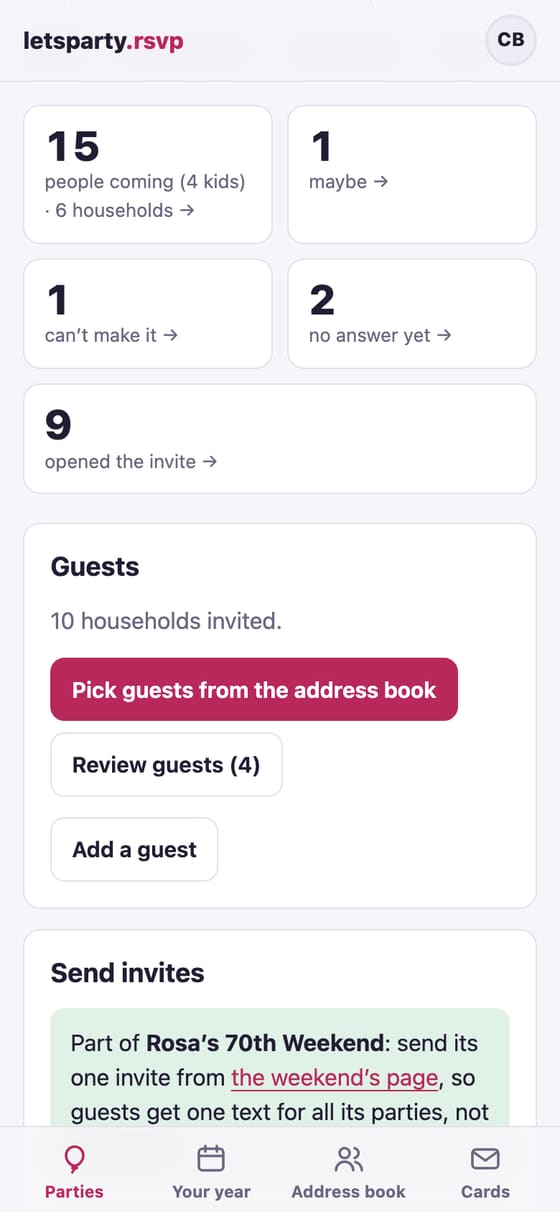
Tap a number to see who
Each number at the top opens the guest list filtered to it: tap maybe to see who said maybe, or no answer yet to see who to nudge.
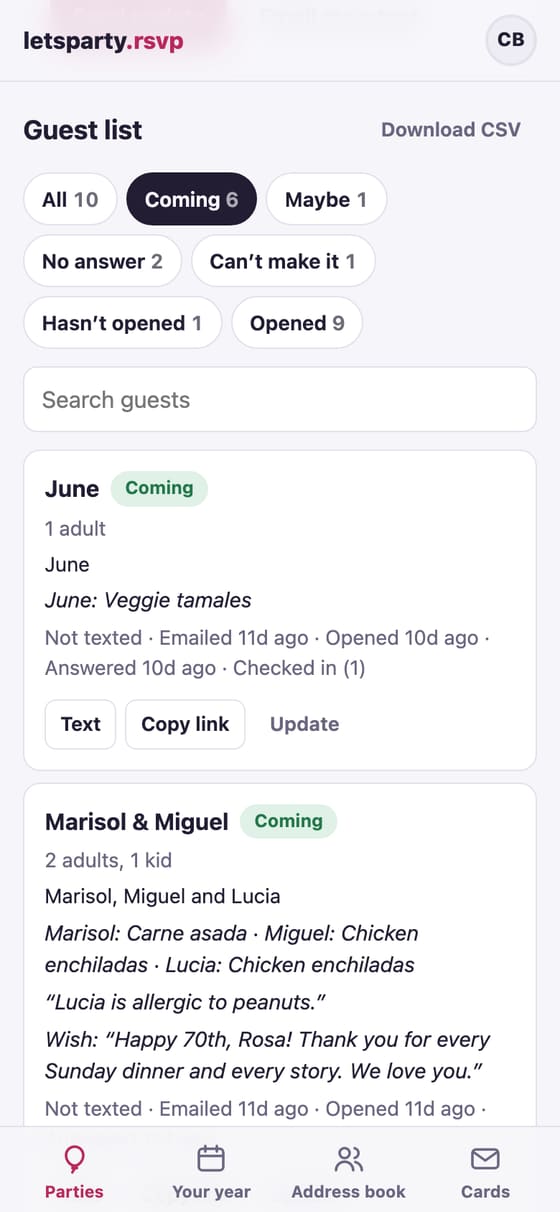
Filter and search the guest list
Under Guest list, the buttons show Coming, Maybe, No answer or Can’t make it, who Hasn’t opened or Opened the invite, and anyone whose email Bounced or who has No contact. Search guests finds anyone by name, phone or email. Each guest shows who’s coming, their meal choices, their note, and when they were texted, emailed, opened the invite and answered.
Download CSV puts the whole list in a spreadsheet.
Mark an answer yourself
Someone told you in person? Tap Update beside their name, pick their answer and how many, and tap Save RSVP. The same panel fixes their phone or email (Save contact) or takes them off the list (Remove from list).
Hear about new answers
In Settings (tap your initials at the top), under When guests RSVP to your parties, choose An email for each RSVP, One summary each morning or No RSVP emails. To email guests a copy of their own answer, tick Email guests a copy of their RSVP in Edit details.
Ask what you need
In Edit details:
- Ask who’s coming by name lets guests tick who in their household is coming and name anyone they bring.
- Ask each person adds a question for every person, like “Dinner choice?” with choices, or “Any allergies?”
- Guests each household can bring sets plus-ones for everyone: 0 for just the household, blank for no limit.
- Most people who can come sets a head-count limit. Past it, yeses join a waitlist you let in from the guest list.
To give one guest a plus-one when the rest don’t get one, tap Update beside their name and pick under Guests they can bring. Their invite allows it; everyone else keeps the party’s rule.
Meal choices, the waitlist and the caterer link have their own guide.
Nudge and update
- Nudge the 2 who haven’t answered (it shows your number) writes a friendly “can you make it?” for you to send.
- An automatic nudge email goes out two days before your RSVP-by date (turn it off in Edit details).
- Send an update goes to everyone invited, those coming or maybe, those who said yes, or those who haven’t answered (and after the party, who checked in at the door), by email, text or both, now or on a day you pick.
More in Nudges, reminders and updates.
For the restaurant or caterer
Make a caterer link gives them the live headcount and meal choices, with no sign-in and no names. Headcount sheet prints the count and the list for the door.
At the door
Check-in on the party page opens a list made for your phone. Tap Here as each household arrives (it counts as many as said they’d come; − and + fix it), search by name, and count walk-ins who weren’t on the list. A co-host can check people in from their own phone at the same time, and both of you see the same count.
Afterward, Send an update has a Checked in at the door choice, so the thank-you goes to who was actually there.
A seating chart
Tables, each household at one, the printed chart and the list for the door, and “Your table” on each guest’s invite: see Make a seating chart. Check-in shows each household’s table too.
Next guide Make a seating chart →